Smart alarms, free on the App Store

The alarms that never let you forget.

Calarmi rings loud even when your iPhone is on silent: for the 8 a.m. pill, your mom's birthday, the Teams call and everything that really matters.

  • Free
  • No ads
  • No account
  • Everything stays on your iPhone
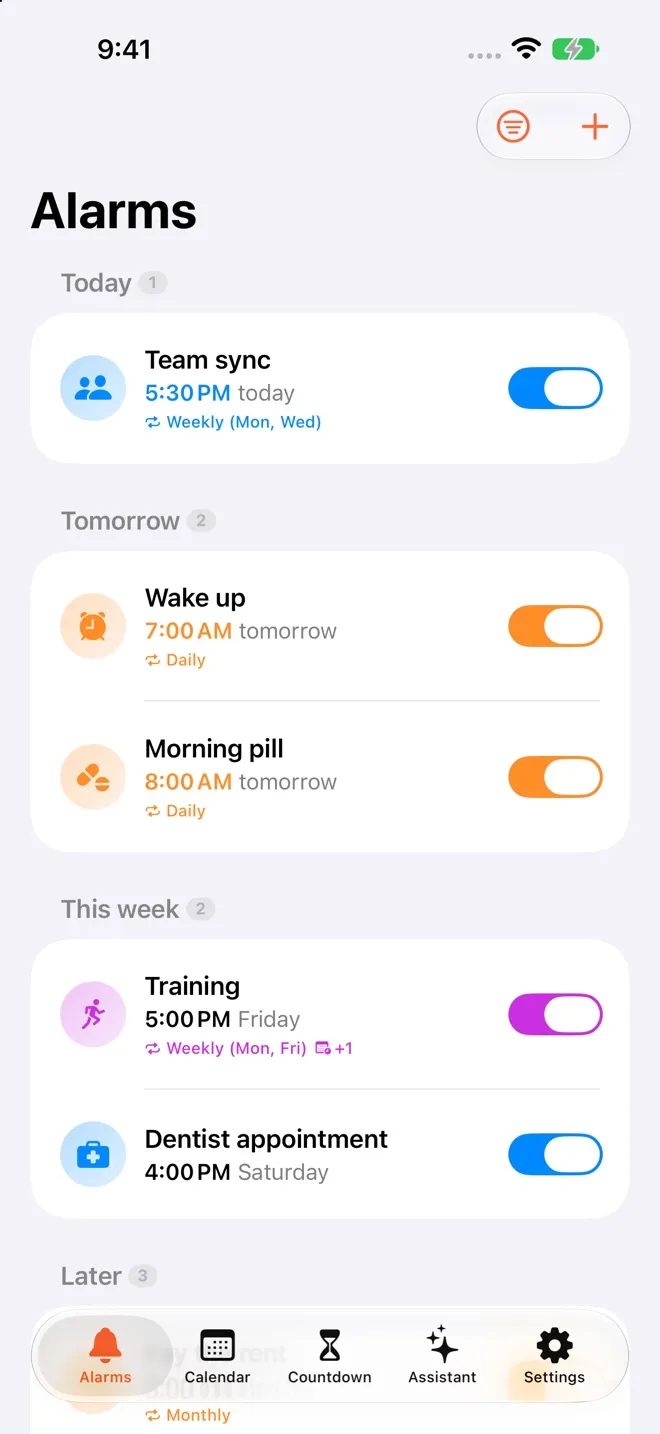
Calarmi's alarm list grouped by today, tomorrow and this week
  • The 8 a.m. pill
  • Mom's birthday
  • The Teams call
  • Rent day
  • The Saturday shift
  • The stadium concert
  • The dentist
  • The trip to Japan

Wake-up challenges

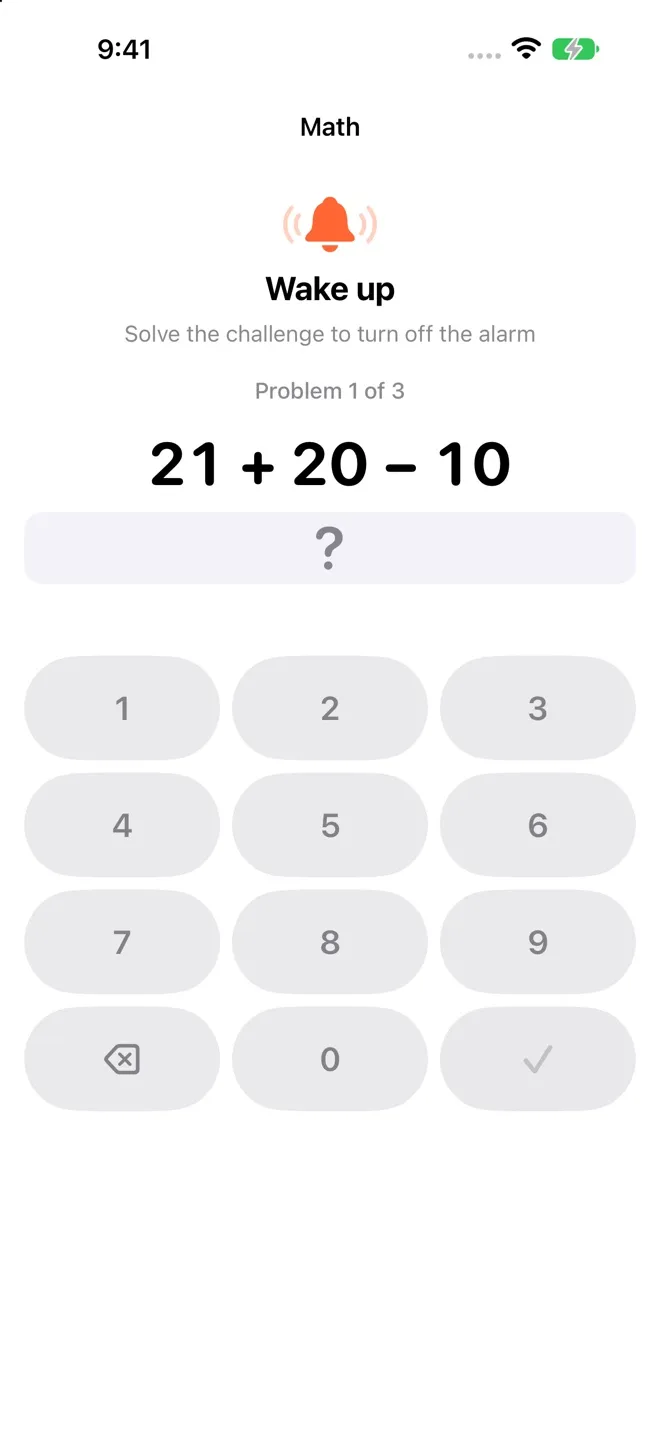
Solve a game to turn it off.

Math, memory, steps, a QR code you leave far from bed, or the Arcade games in Calarmi Plus. Stop it without solving and it rings again.

  • Sixteen challenges: mind, body, get-up and Arcade
  • A different one for every alarm
  • Stop it without solving and it's back at 2, 5 and 10 minutes
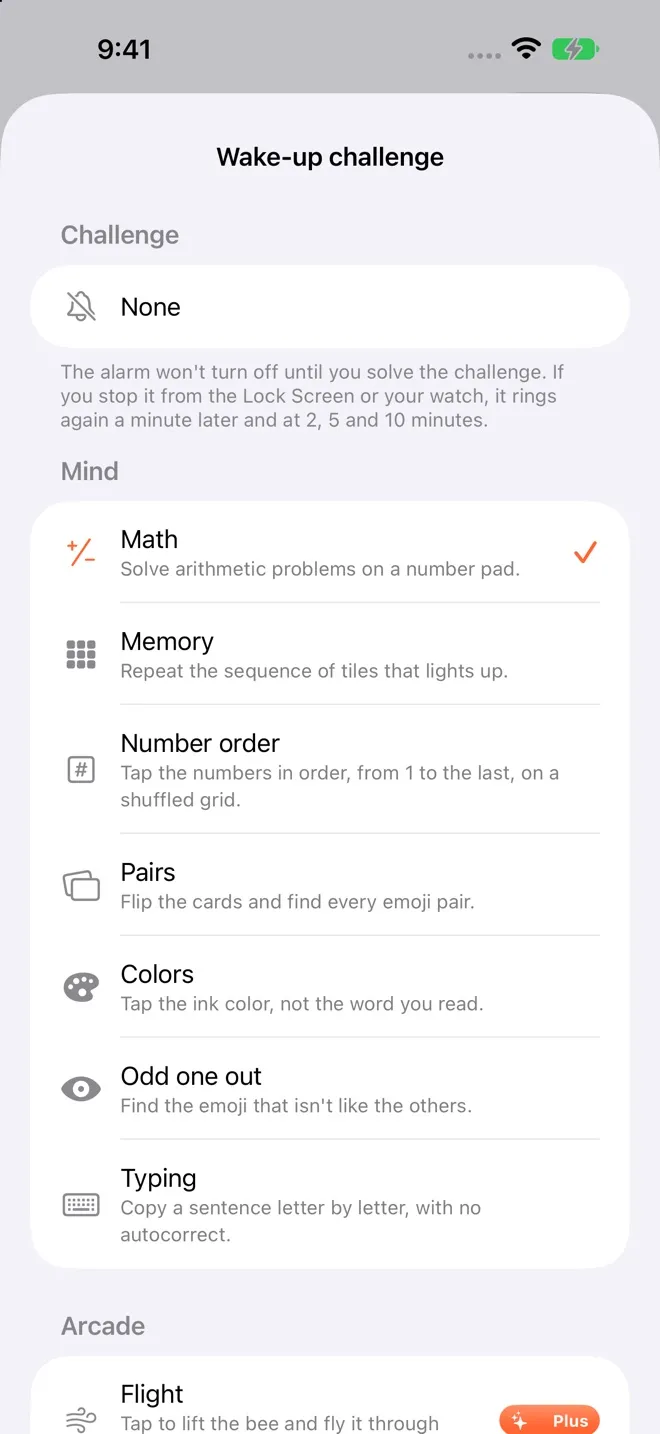
Challenge picker: math, memory, number order and more
Math challenge to turn the alarm off

Countdown

Count down the days to what matters.

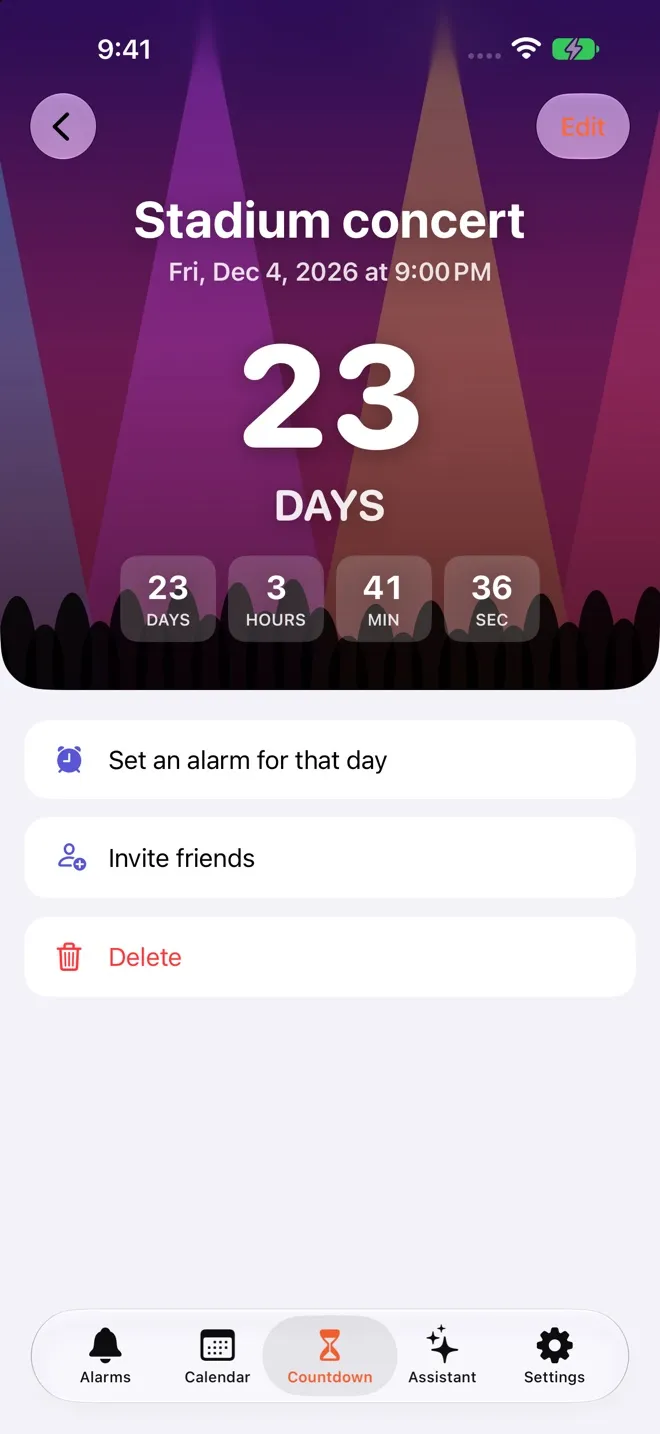
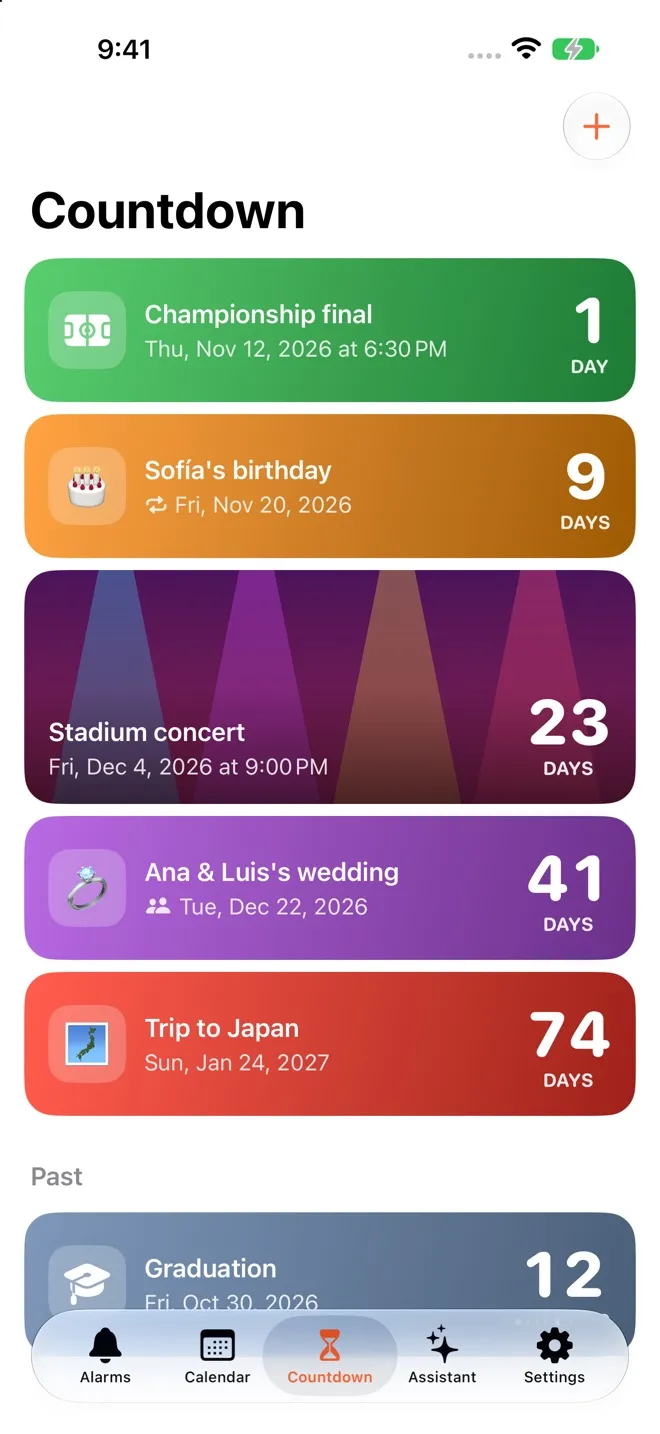
A trip, a concert, a birthday. With a photo or an emoji, on your Home Screen, and shared with whoever's going: change the date and it changes for everyone.

  • Invite over WhatsApp, Messages or anywhere
  • Widgets for the Home Screen and Lock Screen
  • Birthdays and anniversaries repeat on their own
A countdown counting hours, minutes and seconds
Countdowns with photos and days left

Calendar

Your meetings, with a real alarm.

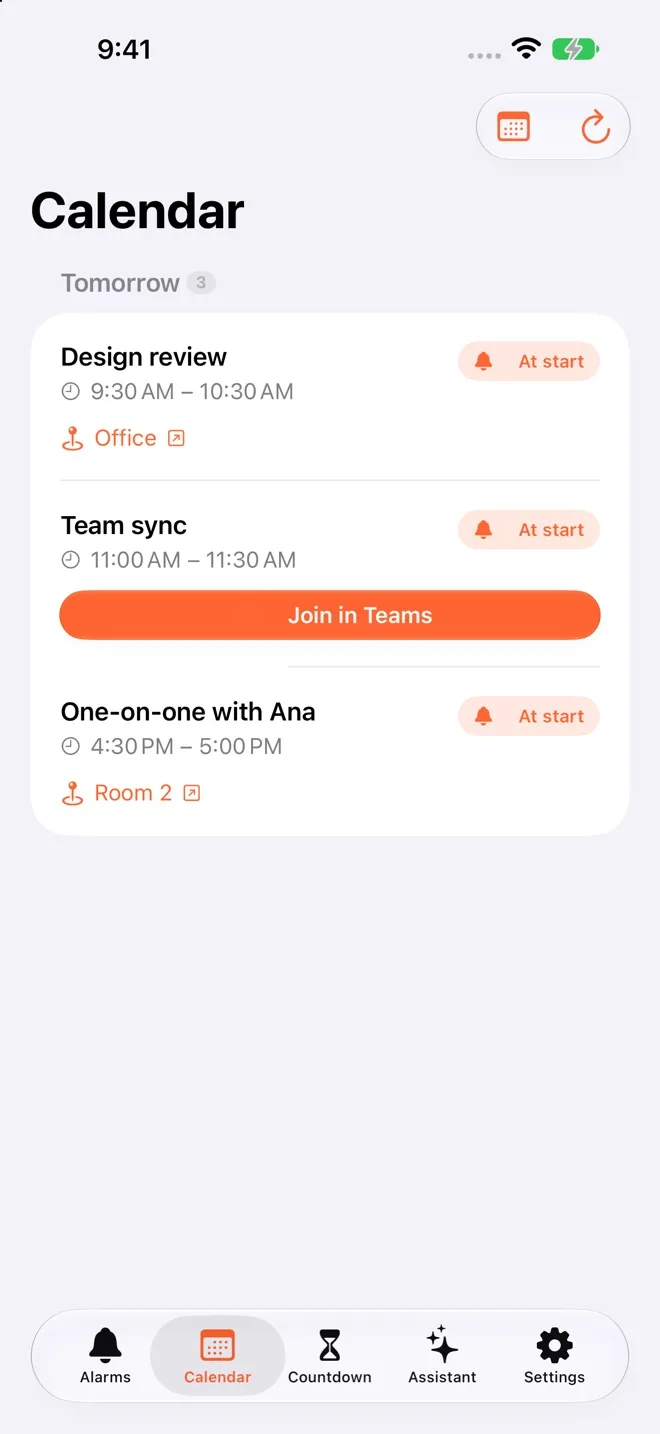
Calarmi reads your Calendar and gives every event up to 3 alerts. For a Teams, Zoom or Meet call, “Join” takes you straight in; with an address, “Go” opens Maps with directions.

  • At start, 15 minutes or an hour before
  • Your alarms show up in your Calendar too
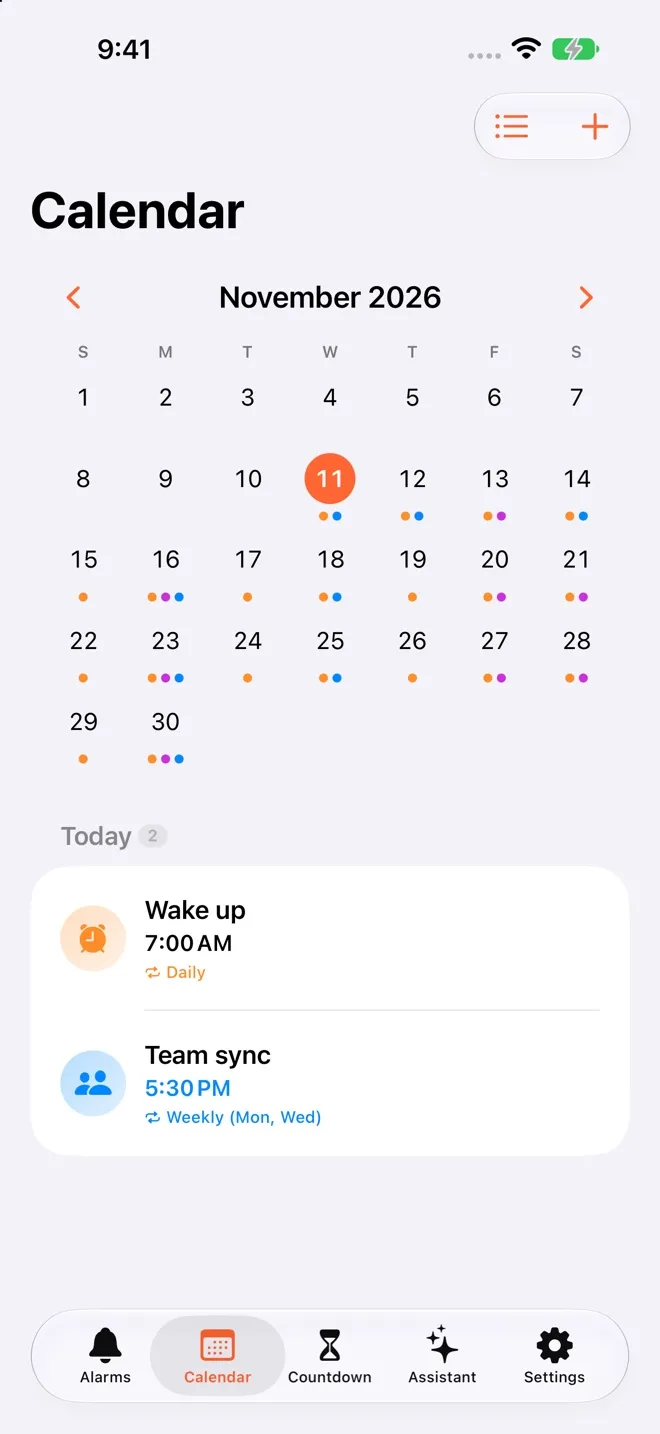
  • Month view with alarms and events together
Month view with alarms and events
Tomorrow's events with the Join in Teams button

AI assistant

Just say it.

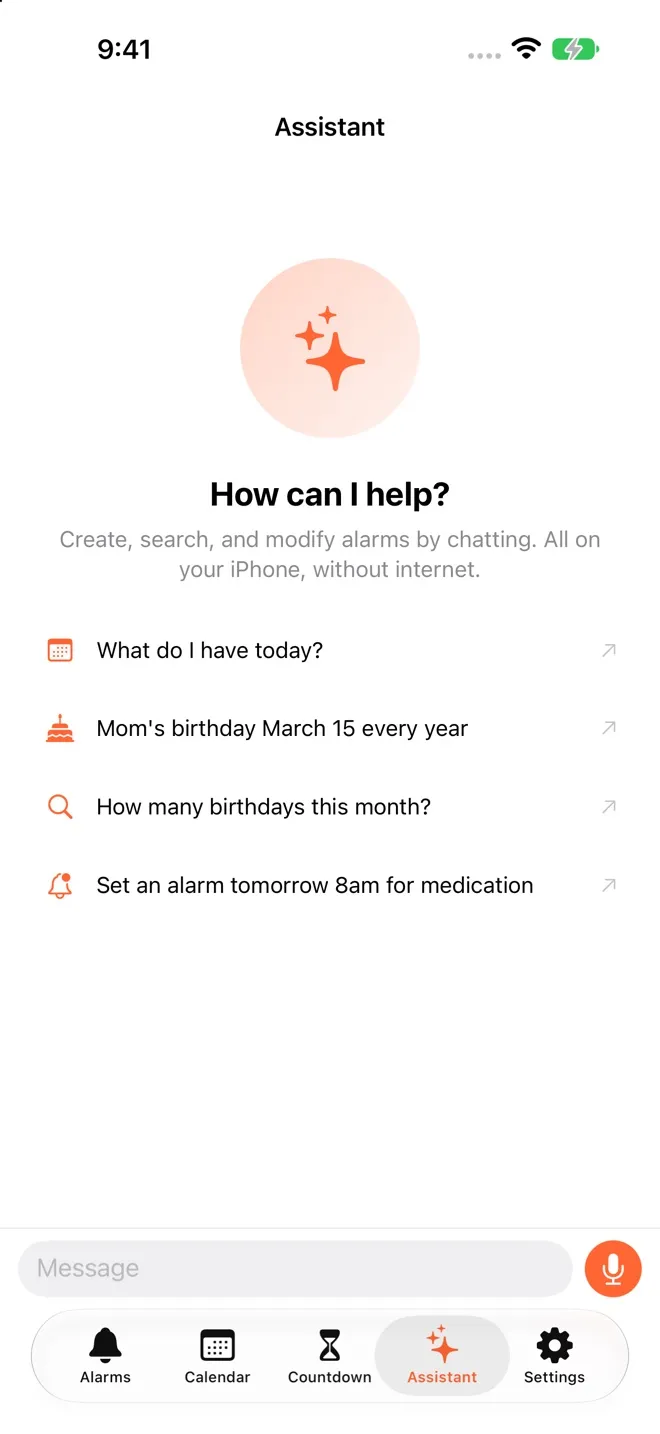
“Remind me to take my pill every day at 9.” The assistant creates, finds and edits alarms with Apple Intelligence, and nothing leaves your iPhone.

  • Works with Siri and Shortcuts too
  • Understands dates like “Saturday the 14th” or “every 21 days”
  • Needs an iPhone that supports Apple Intelligence
Calarmi's assistant with suggestions to create alarms

And everything an alarm should get right

Widgets

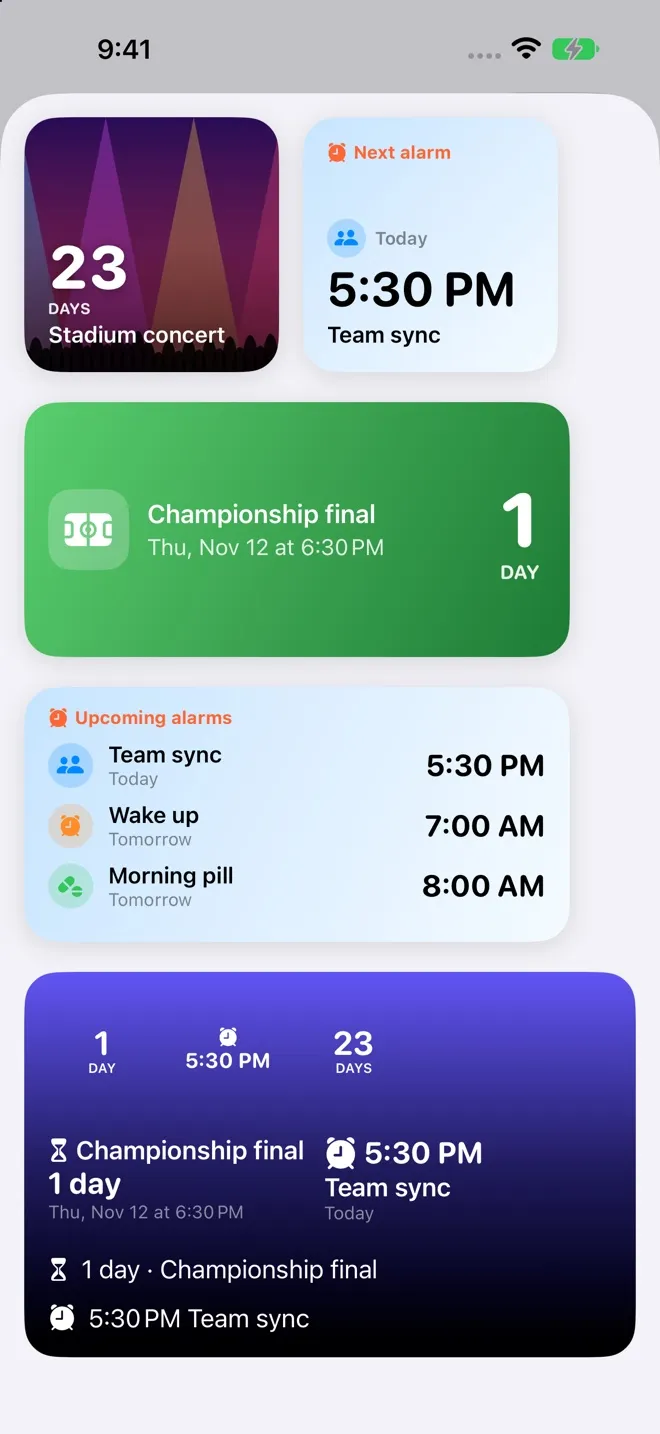
Your next alarm and your countdowns, right on your Home Screen.

Next alarm and countdown widgets

Birthdays that repeat themselves

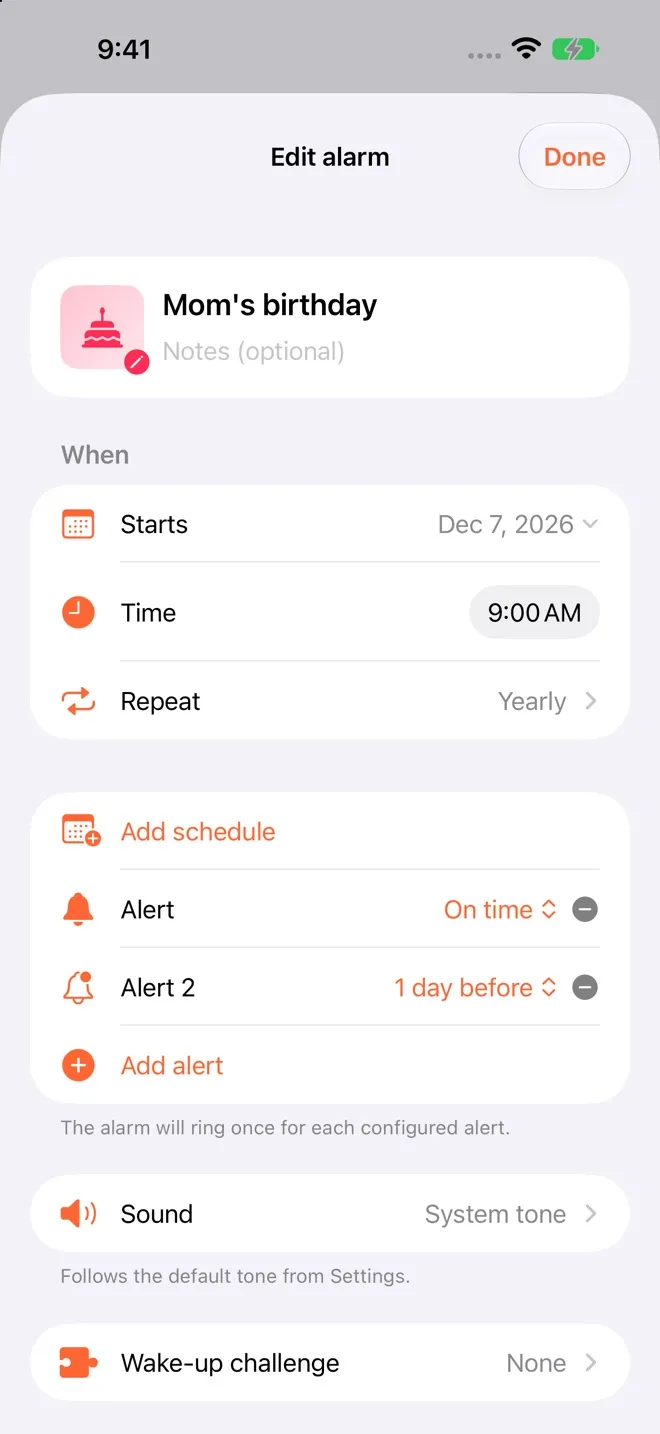
With the person's photo and a heads-up the day before.

Editing a birthday that repeats every year

Several times, one alarm

Monday at 5 p.m. and Saturday at 11, in the same alarm.

Dynamic Island

Stop or snooze the alarm without unlocking your iPhone.

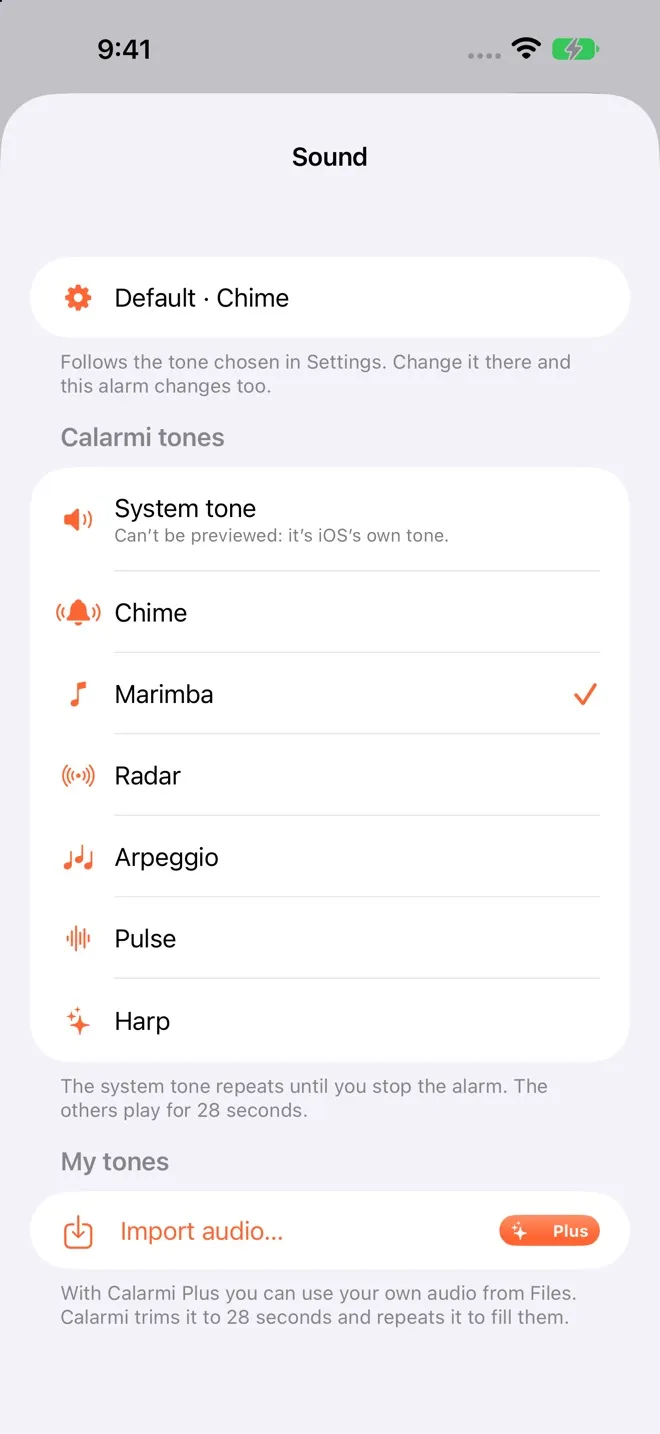
Your tones

Six original tones, or your own audio from Files with Calarmi Plus.

Calarmi's tone picker

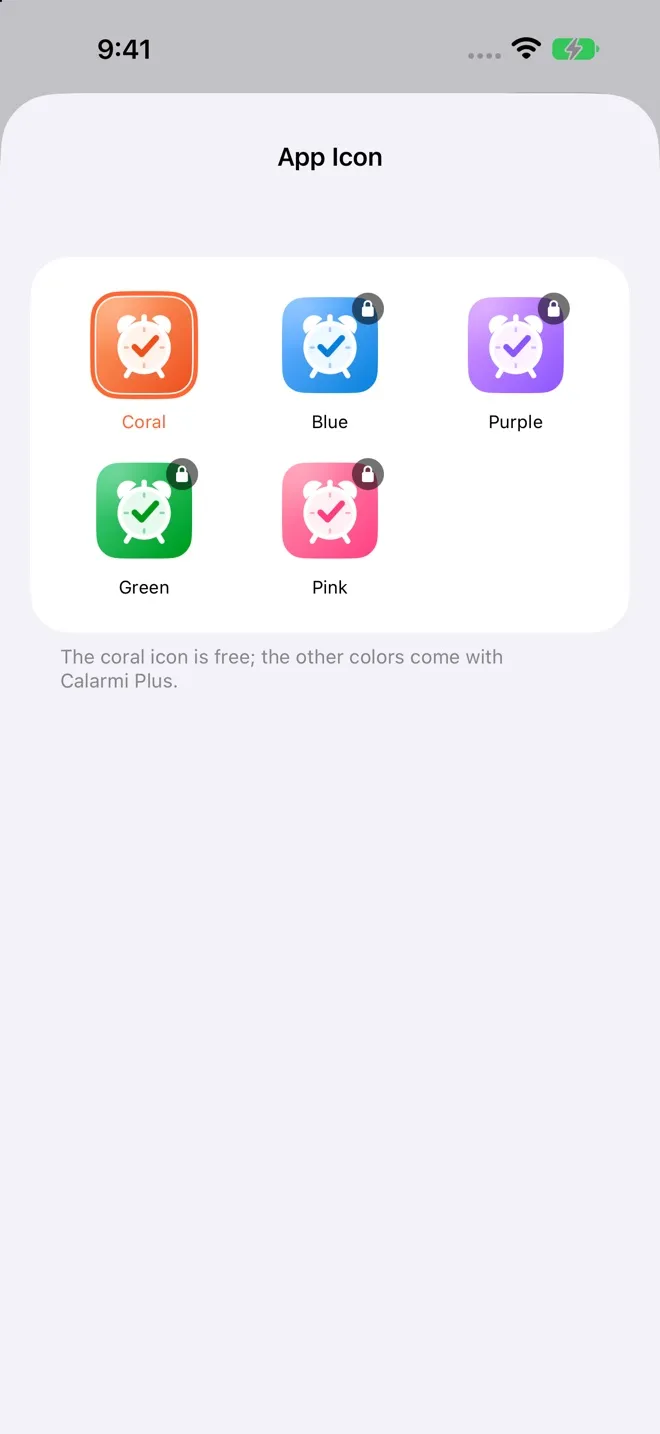
Colored icons

Blue, purple, green or pink, on top of coral, with Calarmi Plus.

App icon picker

On all your devices

Syncs through your own iCloud. No new account, no new password.

Trusted helpers

Someone in your family schedules your alarms from their phone, and they ring on yours.

Pricing

Free forever.
Plus, if you want more.

The essentials cost nothing and have no ads. Calarmi Plus adds extras and helps the app keep getting better.

Free

$0 forever

  • Alarms that ring even when your iPhone is on silent
  • Your calendar, with a real alarm
  • Shared alarms and trusted helpers
  • Assistant with Apple Intelligence and Siri
  • Wake-up challenges: math, memory, steps and more
  • Up to 3 countdowns of your own

Calarmi Plus

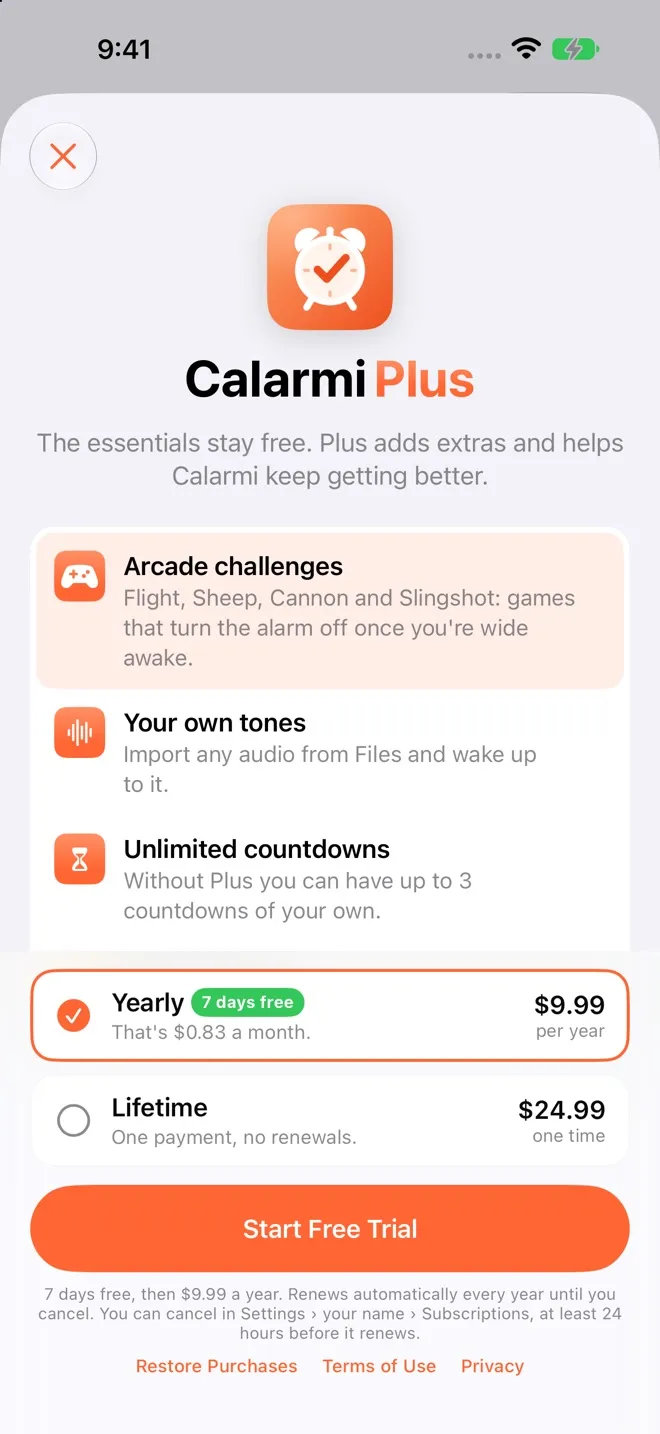
$9.99 a year, with a 1-week free trial

or $24.99 once, for life

Everything in Free, plus:

  • Arcade challenges: Flight, Sheep, Cannon and Slingshot
  • Your own tones from Files
  • Unlimited countdowns
  • Colored app icons
Calarmi Plus screen with the yearly and lifetime plans

US prices; the App Store shows yours in your local currency. The subscription renews automatically and you can cancel anytime in your Apple Account settings. Anything you've already set up keeps working without Plus.

Your alarms are yours.

No ads, no tracking and no servers of ours. What you save stays on your iPhone and in your iCloud.

Read the privacy policy

No more “I forgot.”

Free on the App Store for iPhone with iOS 26.

Download on theApp Store